
ChatGPT Isn’t Perfect (But It Can Code) - AI Automation Tips
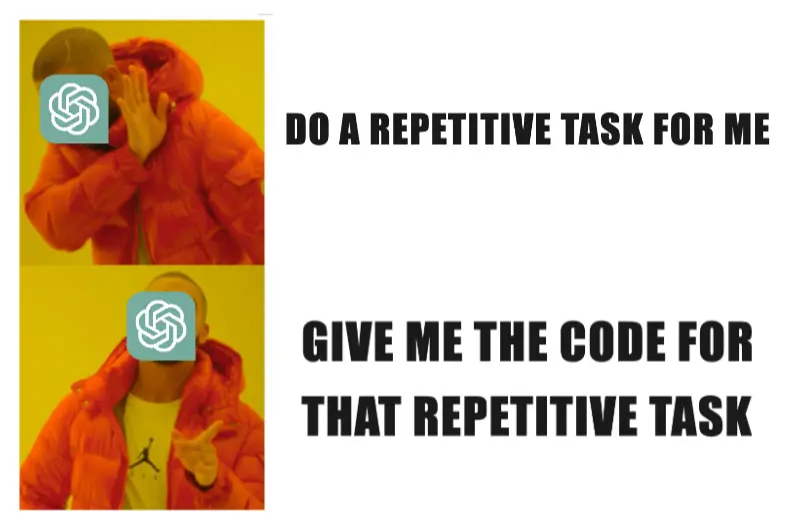
The Problem: When AI Starts Acting Weird
Yesterday, at the office, a colleague was trying to generate a list of unique identifiers using ChatGPT. At first, it seemed fine, but when he tried to generate 200 codes, things started to break. The AI produced fewer than requested or behaved inconsistently.
I saw his frustration and asked what he was trying to achieve. Turns out, he needed a structured list of codes but was relying on ChatGPT to generate them manually. That’s where things usually go wrong.
The Trick: Let ChatGPT Code for You 💡
Instead of making AI do repetitive, large-scale tasks, it’s often smarter to use its real strength—writing code to automate them.
I suggested a different approach:
“Instead of asking ChatGPT to generate the codes directly, ask it to write a small JavaScript program that does it for you.”
At first, he hesitated—ChatGPT had already given him a Python script, but he didn’t know where to run it. So I recommended something even simpler:
“Ask ChatGPT to generate an HTML + JavaScript solution.”
This way, he could run it directly in his browser or in CodePen without installing anything. He tried it, and—boom!—it worked instantly.
📝 Tip: If ChatGPT ever gives you code in a language you don’t know, just ask it to rewrite it in JavaScript. It’s one of the easiest to run and doesn’t require any setup.
The Takeaway
ChatGPT is great, but not for large repetitive tasks.
Instead of relying on it to manually generate tons of data, use it to write small automation scripts for you.
Next time you find yourself asking ChatGPT for a bulk task, ask yourself:
“Can I automate this instead?”
Chances are, ChatGPT can write the code that will save you time—without the frustration.
📅 Published on February 06, 2025